16 Best AI Coding Tools in 2026: The Definitive Comparison


AI coding tools are no longer just code completion plugins. In 2026, the more useful question is: do you need an agent that can work across a large repository, a data analysis tool that understands notebook outputs, or an IDE-style environment that still feels hands-on?
Here is the short version:
- If you already use several coding agents and want them to review or debate each other's work automatically, start with looperators.
- For everyday large-scale software engineering, start by evaluating Codex.
- For Jupyter, data science, machine learning, and research analysis, look closely at RunCell.
- If you already understand your architecture and want the agent to follow tight technical constraints, Claude Code is still very strong.
- If you need a full IDE for last-mile edits, review, and interactive refinement, Cursor is often the smoother choice.
The real difference is not just model quality. It is whether the tool lives in the right working environment: repository, terminal, IDE, browser, cloud sandbox, or Jupyter notebook. Choose well, and you save context switching, validation time, and rework. Choose poorly, and the AI may look smart while still getting stuck because it cannot run the code, observe the result, or understand the real project state.
The guide starts with a quick workflow-based comparison, then breaks down where each tool actually fits: software engineering, notebook data analysis, IDE workflows, enterprise distribution, open-source control, and agent orchestration. No single tool is best for everyone. The point is to put each tool in the environment where it has the strongest leverage.
Quick Comparison: AI Coding Tools in 2026
| Tool | Best for | Main strength | Watch out for |
|---|---|---|---|
| looperators | Multi-agent code review, architecture debate, and repeat-until-done workflows | Open-source canvas that connects your existing Claude Code, Codex, and Grok Build sessions into executable loops | macOS Apple Silicon has the ready-made app; other platforms currently run from source |
| Codex | Large everyday software projects, app development, heavy engineering work | Strong underlying models, good subscription value, deep cloud and desktop infrastructure | Can be proactive in ways that do not always follow fine-grained technical instructions |
| RunCell | Data scientists, researchers, ML/EDA/Jupyter users | Stepwise analysis based on notebook outputs, lower hallucination risk, preserves variables and intermediate state | Pro $20/month, Pro+ $60/month, Team $40/month; not built as a general repo agent |
| Claude Code | Engineers with clear architecture and strong control requirements | Follows technical constraints closely, explains decisions well, strong frontend/UI taste | Ecosystem reputation has become more mixed, and costs still need active control |
| Cursor | VS Code users who need IDE refinement and last-mile editing | Full IDE environment, smooth interactive review and small edits | Relatively expensive; core advantage is being squeezed by general-purpose agents |
| GitHub Copilot | GitHub/Microsoft enterprise users | Strong enterprise distribution, org controls, IDE coverage, and procurement path | Agent experience is middle-of-the-road; weaker than Cursor in VS Code and weaker than RunCell in notebooks |
| Google Antigravity | Users watching Google's Gemini agent IDE direction | Editor View + Manager Surface, with emphasis on browser and terminal verification | Still new; stability and cost details need continued observation |
| Conductor | Mac users who want to coordinate multiple existing agents | Model-neutral layer that can connect Codex, Claude Code, and similar tools | More of a UI layer than a self-contained agent/harness; timing advantage is narrowing |
| Kilo Code | Developers prioritizing open source and model freedom | Controllable, transparent, BYOK/custom provider friendly | You own configuration, governance, and cost estimation |
| OpenClaw | Users studying personal agent runtimes and open agent ecosystems | Useful reference for provider routing, channel routing, OAuth, and system design | Better for technical exploration than for replacing a daily IDE |
| Windsurf | Users trying a Cursor alternative | Cascade remains an interesting workflow idea | Pricing, quotas, and model strategy have changed frequently |
| Amazon Q Developer | AWS-heavy teams | Strong for AWS services, cloud resources, security scanning, and migration | Less compelling outside AWS projects |
| Replit AI | Browser prototypes, learning, lightweight deployment | Very fast path from idea to accessible demo | Not ideal as the main tool for complex local repositories |
| Aider | Terminal and git diff users | Simple, open source, direct fit with git workflows | More command-line oriented; you bring the model cost |
| Sourcegraph Cody | Large codebases and enterprise code search | Strong cross-repo search and code understanding | More of an enterprise code intelligence platform |
| Tabnine | High-privacy, high-compliance enterprises | Private deployment, zero code retention, air-gapped options | Not the most advanced agent experience |
1. looperators: Best for Multi-Agent Review Loops
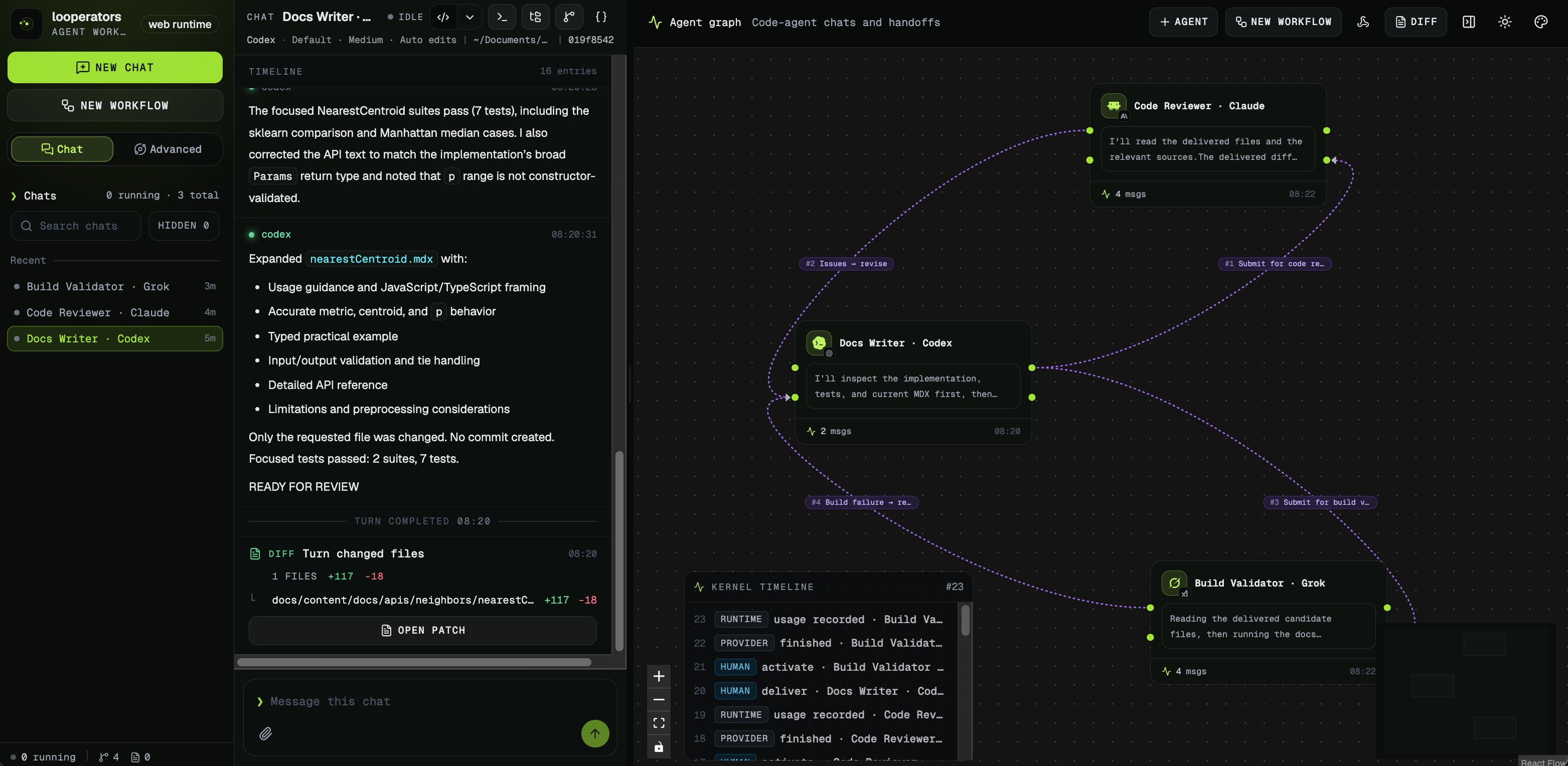
Most tools in this list make one coding agent more capable. looperators (opens in a new tab) solves a different problem: what happens after you start using several agents and become the person copying output between them, deciding who should respond next, and checking whether the process is finally done?
looperators puts those existing AI coding agents on a canvas and wires them into loops that run themselves. A Codex session can implement a change, a Claude Code session can review it, and a Grok Build session can validate the result. The connections are executable: output moves to the next agent, review findings can wake the implementer again, and a condition such as “until the review is clean, max 6 laps” ends the loop.
This is not a low-code builder or another model subscription. Each node remains a real, long-lived session backed by a CLI you already use and log in to locally. You can open any running agent, read its conversation, and steer it mid-run. The project is Apache-2.0 licensed and does not resell model access or proxy API keys.
looperators is a good fit if:
- You already switch between Codex, Claude Code, or Grok Build for implementation, review, and validation
- You want multi-model architecture discussions without manually relaying every response
- Your workflow needs feedback to loop until a clear stop condition is met
- You want local orchestration and the ability to interrupt any live agent session
Watch out for:
looperators is an orchestration layer, not a replacement for the agents themselves. You still need the supported CLIs and their normal local logins. The ready-made 0.1.0 app is currently for macOS on Apple Silicon; Windows, Linux, and other development setups need to run the open-source project with npm install && npm run dev.
The screenshot shows a real review loop: Codex writes, Claude Code reviews, Grok Build validates, and findings travel back along the graph instead of through manual copy-paste.
2. Codex: A Strong Agent for Everyday Software Engineering
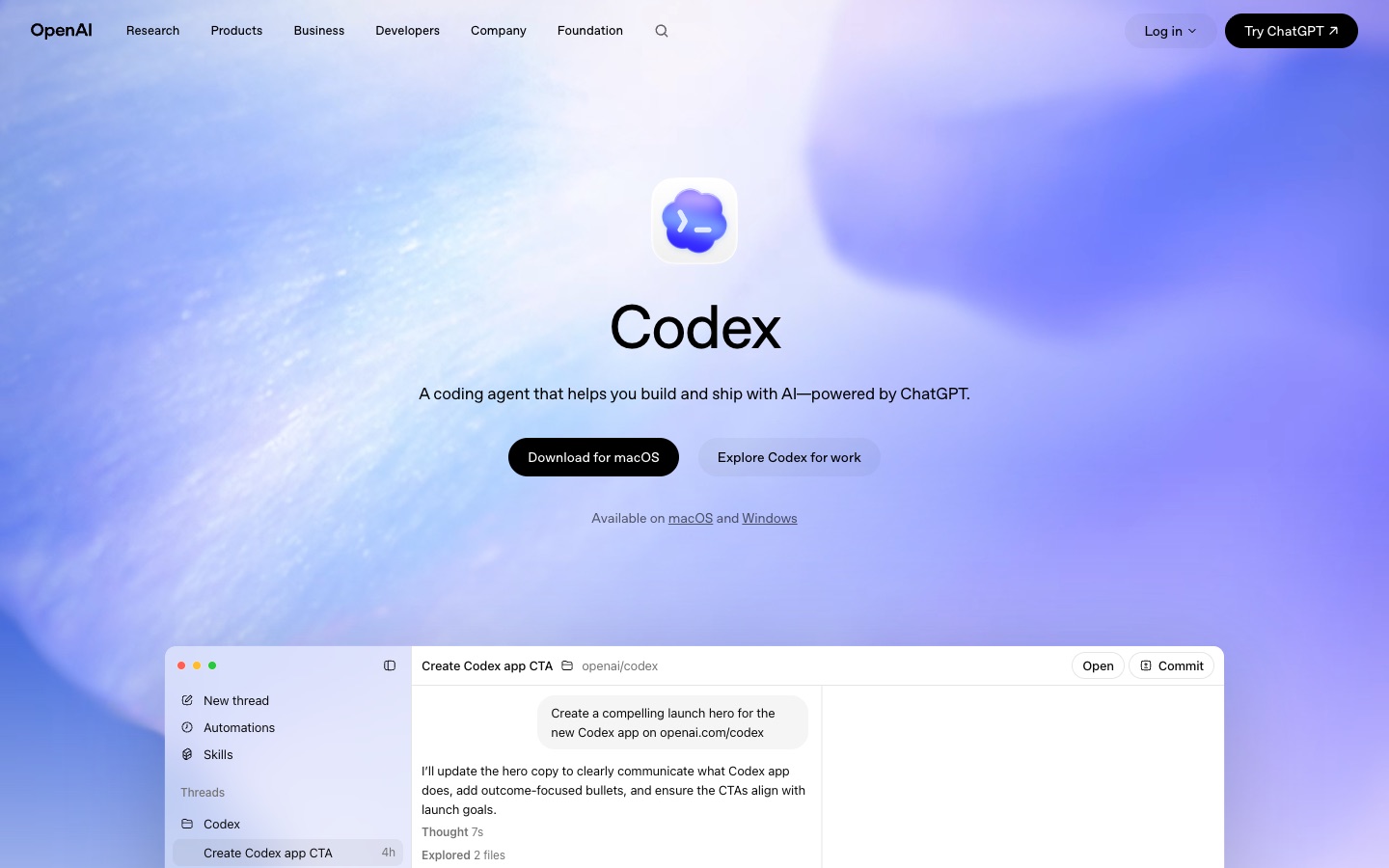
Codex should no longer be understood as "OpenAI's command-line coding tool." A better description is that it is becoming OpenAI's agent workspace for software engineering. It can enter your workflow through the desktop app, CLI, web, IDE extensions, and team workspaces, backed by OpenAI's long-term investment in coding models, cloud execution, desktop apps, permissions, and agent infrastructure.
Its advantage comes from three areas.
First, the model layer is strong. Codex's underlying models sit in the top tier for coding, especially for code search, multi-file edits, test fixes, and implementation delivery in large software projects. It does not need to be described as the absolute winner in every benchmark, but for everyday app development it is one of the first tools worth evaluating.
Second, the subscription value is attractive for heavy developers. If you already use ChatGPT or an OpenAI workspace heavily, Codex can put chat, code tasks, desktop agents, and cloud tasks inside the same account system. In practice, that can be easier to control than subscribing to several overlapping wrapper tools.
Third, OpenAI started building cloud and desktop agent infrastructure early. Codex appeared as a standalone coding agent product in the first half of 2025, then continued to add desktop, CLI, team, and cloud capabilities. For engineering teams, that infrastructure matters more than a single impressive demo.
Codex is a good fit if:
- You are a software engineer who wants a capable agent for large everyday app development
- You already use ChatGPT Plus, Pro, Business, or Enterprise
- You want to run multiple agents at once, not just open one chat sidebar
- You care more about getting a working result quickly than controlling every step
Watch out for:
Codex can sometimes be a little too inventive. It usually tries to deliver something that runs, but if your instructions are very detailed and your architecture constraints are strict, it may not always follow every technical boundary line by line. In those cases, either make the constraints more explicit or use a more process-controlled tool like Claude Code.
Cost language also deserves attention. In April 2026, OpenAI moved Codex pricing away from a rough "per message" estimate and toward a token-based rate card. OpenAI's help center also notes that average Codex costs are around $100-200 per developer per month, but that varies heavily by model, number of instances, automation, and fast mode usage.
3. RunCell: A Notebook Agent Built for the Data Science Mindset
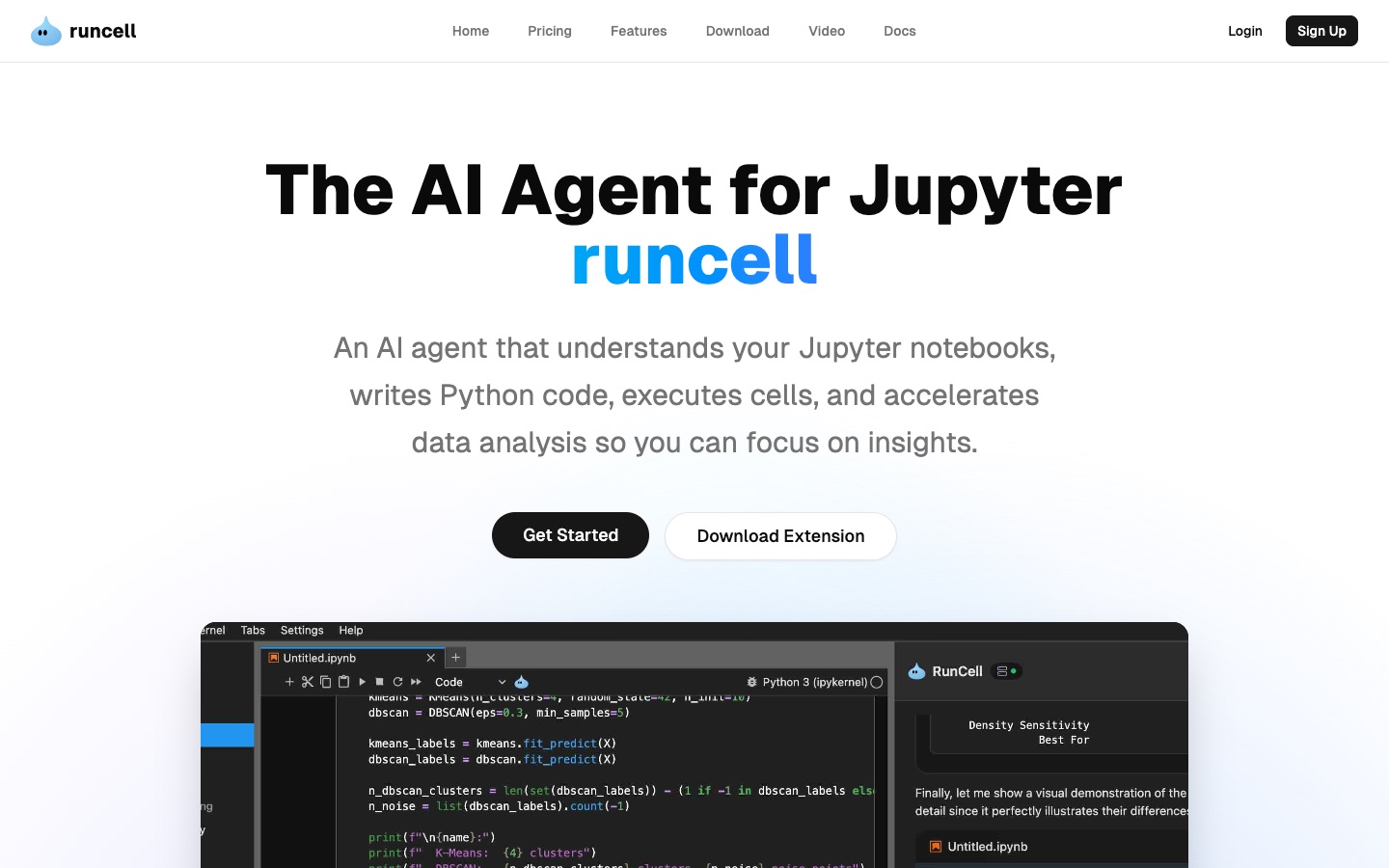
RunCell (opens in a new tab) is not just a tool that can also write Python. Its working model is different from a software engineering code agent. Software development agents often write a lot of code up front, then validate through compilation, tests, or builds. Data science does not work that way.
In Jupyter, the right second cell often depends on the output of the first cell. You may notice an unusual missing-value ratio, then decide whether to group by segment. You may see a long-tailed distribution, then decide whether to use a log transform. You may generate a suspicious chart, then keep digging into the definition of a metric. RunCell is designed to move through that analysis chain step by step: test, observe, analyze, then decide what comes next.
That is why it has lower hallucination risk in data analysis. General software engineering agents often assume a data shape from a template: read CSV, drop missing values, group by, draw a chart, and produce a tidy answer. RunCell puts more weight on the real state of the current notebook: which cells have run, what the variables contain now, which columns exist in the DataFrame, and what the charts and metrics actually look like. It does not begin by assuming what the data should be. It observes what the data already is.
RunCell's advantage is that it does not treat Jupyter as a static .ipynb file. It works as a JupyterLab extension inside the notebook environment. The official docs require Python 3.10+ and JupyterLab 4.4+, and installation is straightforward:
pip install runcell
jupyter lab
Pricing context:
RunCell currently has three common paid plans: Pro, Pro+, and Team. Pro is $20/month, Pro+ is $60/month, and Team is $40/month for teams that need collaboration, member management, and more unified organizational use.
RunCell is better for tasks like:
- Having AI continue from the current notebook execution state instead of generating ten cells at once
- Running a cell, reading the real output, and adjusting the analysis path
- Debugging pandas, SQL, visualization, statistical modeling, and machine learning code
- Explaining charts, variables, metrics, outliers, and intermediate results during analysis
- Turning scattered exploration into a reproducible data analysis workflow
One underrated point is memory. RunCell can use Jupyter Notebook execution state to preserve previous variable values, intermediate results, and analysis steps, creating a reproducible, rerunnable, searchable data state. Many general agents generate temporary scripts; once the script finishes, the details disappear, and the next model turn has to infer what happened from chat memory. That is exactly where data analysis can drift into hallucination.
This demo makes the difference easier to see:
For a notebook-specific walkthrough, read Jupyter AI Agent: Turning Jupyter Notebook into a Data Science Agent Workflow.
If you are a data scientist, researcher, machine learning engineer, or anyone whose core work happens in notebooks, RunCell should be near the top of your list.
4. Claude Code: For Engineers Who Want Technical Control
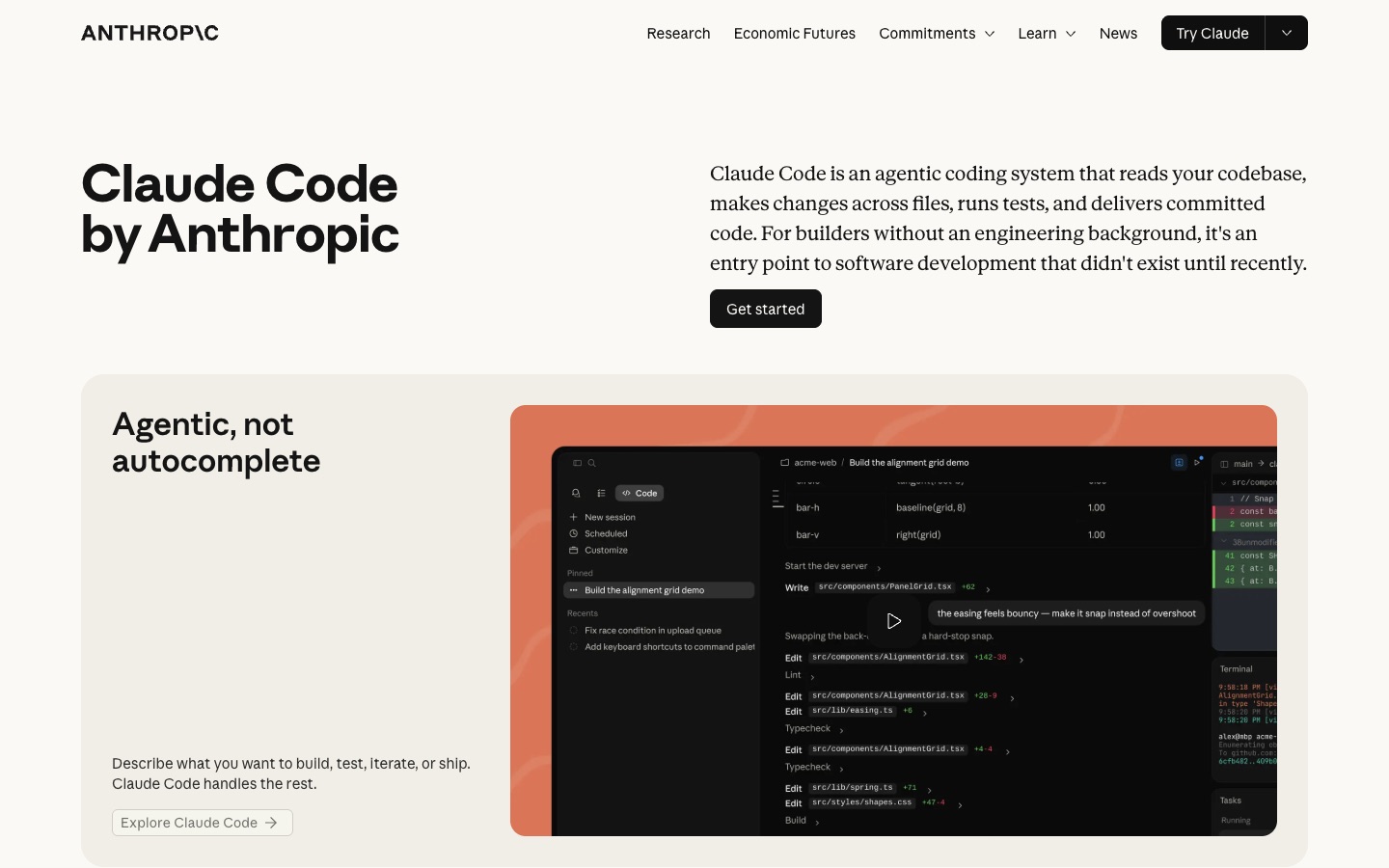
Claude Code should not be understood only as a terminal tool. It supports terminal workflows, has a desktop shape, and has built a fairly complete engineering-agent experience around Claude models. Claude as a model family was once exceptionally strong, and in 2026 it remains strong. What has changed is that ecosystem debates, third-party tools, and open-source community controversy have made Claude Code's reputation less uniformly positive than it was early on.
Its best use case is when you already understand the project architecture, have clear technical constraints, and want the agent to execute your instructions closely. Claude Code is often more willing to stay inside the boundaries you set instead of improvising a solution that merely looks runnable.
Claude Code is a good fit if:
- You understand the project architecture well and can write clear, specific technical instructions
- You care more about process control and avoiding technical regressions than about the fastest possible delivery
- You often work on frontend pages, UI changes, design details, and user experience polish
- You want the agent to explain what it changed and why in natural language
Pricing context:
Claude Code can be used through Claude Pro/Max subscriptions or through Anthropic API token billing. In Anthropic's April 2026 help-center language, the Max plan lists Max 5x at $100/month and Max 20x at $200/month, with Claude Code access included. For API or enterprise deployment, Anthropic's docs now frame average costs around $13 per active developer day, or $150-250 per month.
If Codex feels like "get the thing working quickly," Claude Code feels more like "follow this technical path carefully." It is also often stronger than Codex for frontend design and UI taste, especially for detailed layout, copy explanation, and interface polish.
5. Cursor: The AI Coding Tool for People Who Still Want an IDE
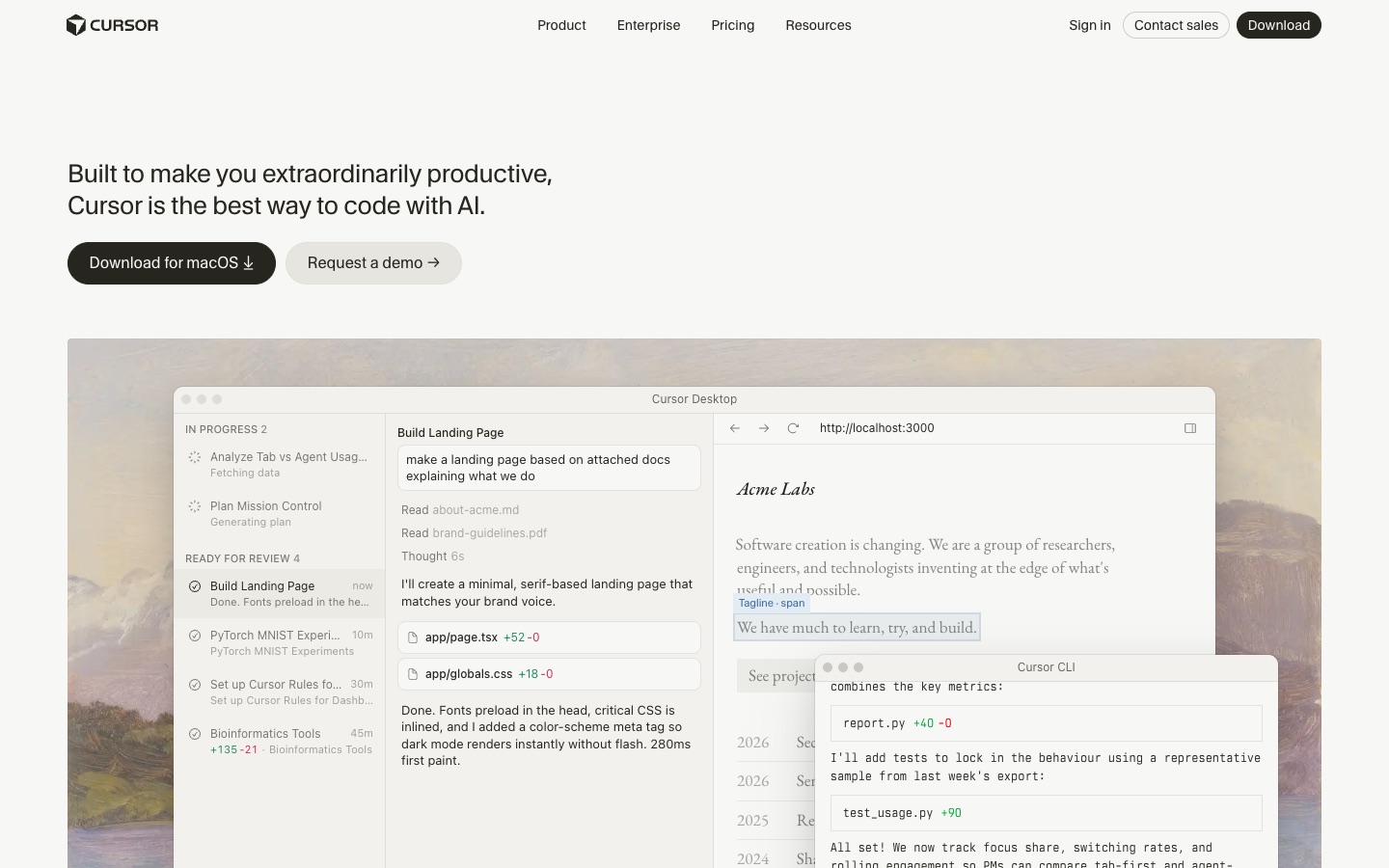
Cursor is still fundamentally an AI IDE. Because it is forked from VS Code, the migration cost is low for users who know VS Code but are not satisfied with Copilot. It puts Tab, Agent, project rules, MCP, Cloud Agents, Bugbot, and team features into one IDE, which makes it useful for people who need to keep reading code, reviewing diffs, and making precise file edits.
Cursor's early advantage is weaker than it used to be. Code agents increasingly do not need to live inside an IDE, and Cursor's original strengths in Tab completion and agent-controlled IDE workflows are no longer as unique. Cursor's answer has been to invest more in agents, ship a more agent-oriented UI, and train its own Composer model family.
In March 2026, Cursor announced Composer 2, calling it frontier-level for coding and listing pricing at $0.50 per million input tokens and $2.50 per million output tokens. This matters because Cursor used to look more like a wrapper around large models, with cost exposure tied to underlying model prices. With its own Composer models, Cursor has a path to reduce agent cost while keeping a strong interactive experience.
Cursor is a good fit if:
- You want AI inside the editor where you write code every day
- You know VS Code but want a more complete AI IDE than Copilot
- You want to review diffs, accept changes, and keep asking follow-up questions inside the IDE
- The project is mostly built, and you need last-mile precision edits and detail fixes
Pricing context:
Cursor's pricing page lists Hobby as free, Individual Pro at $20/month, and Teams at $40/user/month. Higher-usage Pro+, Ultra, and Enterprise options are aimed at heavier agent users. Cursor's long-running weakness is cost sensitivity: if you call expensive models heavily, it can become more expensive than fixed-subscription Codex or Claude Code. Whether Composer 2 materially changes that structure is still something to watch.
6. GitHub Copilot: Strong Enterprise Distribution, Middling Agent Experience
GitHub Copilot's biggest advantage is first-mover distribution. VS Code, Visual Studio, JetBrains, Neovim, GitHub, enterprise accounts, organization policies, code review, and security capabilities are all mature. For companies already in the Microsoft and GitHub ecosystem, procurement, permissions, compliance, and training are familiar.
In practice, though, Copilot is middle-of-the-road in the agent generation. The VS Code experience is less fluid than Cursor, and its notebook workflow cannot match a notebook-native agent like RunCell. Copilot's early advantage came mainly from code completion and Microsoft distribution, not from agent workflow.
The key questions in 2026 are no longer "does completion feel natural?" They are:
- Can it handle multi-file tasks?
- Can it execute and verify?
- Can it run for a long time?
- Can it manage cost and permissions?
- Can developers manage agents the way they manage teammates?
GitHub's official docs say Copilot moves to usage-based billing on June 1, 2026, with interactions counted through input, output, and cached tokens as AI Credits. Copilot's price advantage used to be fairly clear, but as agents and advanced models move into the credits system, teams need to recalculate real cost.
7. Google Antigravity: An Agent-First IDE Worth Watching
Google Antigravity is Google's agentic development platform, launched with Gemini 3. Its positioning is not a traditional editor. It moves the agent to a higher level: familiar IDE work remains in Editor View, while Manager Surface coordinates multiple agents working asynchronously across different workspaces.
Google's developer blog emphasizes that Antigravity agents can plan, execute, and verify complex tasks across editor, terminal, and browser. That matters because browser verification is becoming a core capability for frontend and full-stack agents.
Antigravity is a good fit if:
- You want to follow the direction of coding agents in the Gemini ecosystem
- You do a lot of frontend, interaction, and browser-verification work
- You are comfortable with a newer tool whose stability and usage limits may change
It is not a good fit if:
- You need the most stable daily driver
- You do not want your coding workflow to depend on a preview-style product
- You are very sensitive to agent permissions around automatic command execution
8. Conductor: More of a Model-Neutral UI Layer
The Conductor discussed here is conductor.build (opens in a new tab), not the Conductor extension in Google Gemini CLI and not the Netflix/Orkes workflow product.
Conductor is closer to a UI layer. Products such as Codex Desktop, Claude Code Desktop, and RunCell Desktop usually include the agent, harness, and UI. Conductor connects to existing code agents underneath; it does not build its own core agent layer. Its value is in isolated workspaces and one interface for managing multiple tasks, so users can coordinate Codex, Claude Code, and similar tools at the same time.
Conductor is a good fit if:
- You already use Codex or Claude Code
- You want to move several issues, bugs, or refactors forward in parallel
- You strongly value model neutrality and want to switch agents from one UI
Its limits are also clear. As Codex and Claude Code improve their own desktop UIs, Conductor's independent advantage shrinks. Model neutrality is valuable in a specific window, but if mainstream agents tighten support for third-party replacement UIs, or if users move back to official APIs and official desktop apps, Conductor becomes less necessary.
9. Kilo Code: More Open Source Control and Model Freedom
Kilo Code is an open-source AI coding assistant. Its official docs describe use across IDE, terminal, browser, mobile, and Slack environments. Its appeal is transparency, control, model choice, and a good fit for teams that want BYOK or custom providers.
Kilo Code is a good fit if:
- You do not want to be locked into one AI IDE or subscription plan
- You want clearer control over models, cost, and configuration
- You are willing to spend time maintaining your own AI coding workflow
Limitations:
Open-source tools usually mean you take on more configuration, model selection, cost estimation, and team governance. This is not "install it and it will definitely be better than Cursor." It is better for people who want to tune the toolchain.
10. Windsurf: Still Worth Considering, But No Longer the Default Shortlist Pick
Windsurf was once highly competitive because of its Cascade workflow and relatively friendly pricing. It is still useful for people who want an AI IDE but do not want to commit fully to Cursor. In 2026, however, Windsurf's pricing, quotas, and model strategy have changed often enough that you should check the official pricing and current quota details directly instead of relying on old "$15/month" summaries.
If it already works well for you, keep using it. If you are choosing an AI coding tool for the first time, compare Codex, Claude Code, Cursor, and RunCell first, then decide whether Windsurf belongs on your shortlist.
Other Tools Worth Watching
Amazon Q Developer is best for AWS-heavy users. Its strengths are cloud resources, IAM, security scanning, AWS service explanations, and migration scenarios. Its general appeal drops outside AWS projects.
Replit AI is useful for browser-based prototypes, learning, lightweight deployments, and demos. It is not the strongest choice for complex local repository work, but it is convenient when the goal is to move from idea to accessible page quickly.
Aider remains a cost-effective option for terminal and git diff workflows, especially for developers who like the command line and are comfortable bringing their own model API key.
Sourcegraph Cody is strongest at large-codebase understanding and code search. Sourcegraph is now more of an enterprise code intelligence platform, suitable for complex organizations rather than just personal AI completion.
OpenClaw is better for technical readers who want to study personal agent runtimes, provider routing, OAuth, and channel routing. It is not the easiest AI IDE for everyday developers, but it is useful for understanding the modern agent tool stack. For a deeper systems-level comparison, see Hermes Agent vs OpenClaw.
JetBrains AI is a natural fit for IntelliJ, PyCharm, WebStorm, DataSpell, and other JetBrains users. If your team already pays for the JetBrains ecosystem, it is worth evaluating.
Devin is better evaluated as an enterprise autonomous-engineering-agent budget item than as an entry-level tool for regular developers.
Why Tabnine, Continue.dev, Supermaven, and Qodo Are Lower in This List
These four tools are not bad. They are simply better suited to specific scenarios, so they should not dominate the first half of a decision guide.
| Tool | Still good for | Why it appears later |
|---|---|---|
| Tabnine | Privacy, compliance, private deployment, air-gapped enterprises | Its strength is enterprise control, not the most advanced 2026 agent experience |
| Continue.dev | Self-hosting, open source, model routing, custom IDE workflows | More like infrastructure and a DIY framework, with higher decision cost for general readers |
| Supermaven | Extremely fast completion | Completion is strong, but the market axis has moved from autocomplete to agent workflow |
| Qodo | Code quality, testing, review, governance | More of a review/code-quality platform than a general main coding agent |
If your use case maps directly to their strengths, they are still worth using. But for the search intent behind "how to choose AI coding tools in 2026," readers need to see Codex, RunCell, Claude Code, Cursor, Copilot, Antigravity, Conductor, and Kilo Code first because those tools better represent where the category is moving.
Why Data Science Users Should Not Only Look at General Code Agents
Jupyter workflows have different success criteria from ordinary repository work.
| Evaluation point | Ordinary code repository | Jupyter data analysis |
|---|---|---|
| Main objects | Files, tests, builds, PRs | Cells, variables, DataFrames, charts, outputs |
| Success standard | build/test/pass | Whether conclusions are based on real data and reproducible experiments |
| Common failure | Wrong files changed, incomplete tests | Code looks correct but was not run or did not understand the output |
| Needed capability | Multi-file editing, shell, git | Cell execution, output observation, analysis iteration |
| More natural tools | Codex, Claude Code, Cursor | RunCell |
This is why RunCell (opens in a new tab) appears so high in this guide. It is not trying to replace Codex, Claude Code, or Cursor across every software engineering scenario. It is simply a better match for the high-value notebook workflow.
If your prompt is "help me refactor the permissions system in this Next.js project," Codex, Claude Code, or Cursor is the more natural tool.
If your prompt is "load this CSV, explain why Q2 retention dropped, clean the outliers, draw the chart that best explains the issue, and suggest the next experiment," RunCell is the more natural tool.
Pricing and Quotas: Be Careful in 2026
AI coding tools are moving from "fixed subscription plus fuzzy limits" toward "subscription plus usage-based billing plus credits plus model differentiation." That changes how you buy.
| Change | Impact |
|---|---|
| Codex moved to a token-based rate card | Long tasks and parallel agents need cost estimation |
| Copilot is moving to AI Credits | Agent, review, and advanced-model usage are no longer captured by monthly price alone |
| Claude Code API costs are more explicit | Enterprises should run a pilot before broad rollout |
| Cursor, Windsurf, and similar IDEs are tightening agent quotas | Monthly fee does not mean unlimited use; model and agent usage details matter |
| Open-source tools support BYOK | Costs can be controlled, but configuration and governance costs rise |
The practical advice is simple:
- Individual developers: buy one primary tool first. Do not subscribe to three or four overlapping tools at once.
- Teams: run a two-week pilot with 3-5 people, and record task completion rate, average cost, and review rework rate.
- Data science teams: do not only test whether the tool can generate code. Test whether it can execute notebooks, understand outputs, and reduce analysis rework.
- Enterprises: put permissions, data retention, model routing, auditability, and budget caps into the evaluation sheet.
Final Recommendations
| You are | Recommended setup |
|---|---|
| Multi-agent reviewer / architect | looperators with your existing Codex, Claude Code, and/or Grok Build CLIs |
| Indie developer / full-stack engineer | Codex or Cursor, depending on whether you prefer an agent workspace or an IDE |
| Heavy terminal user | Claude Code, with Aider or Codex as a supplement |
| Data scientist / analyst | RunCell as the main tool, paired with Cursor or Codex when needed |
| GitHub enterprise team | Keep Copilot as the baseline layer, then pilot Codex or Claude Code |
| Budget-sensitive / open-source oriented | Kilo Code, Continue.dev, Aider |
| High-compliance enterprise | Tabnine, Copilot Enterprise, Sourcegraph, and Qodo should enter the candidate set |
| Parallel task orchestration explorer | Conductor + Codex/Claude Code |
| Google ecosystem watcher | Google Antigravity |
Related Guides
- Parallel Code Agents: Worktrees, Sandboxes, and Loop Orchestration
- Best Vibe Coding Tools in 2026
- Codex vs Claude Code: Skills and Workflow Differences
- Cursor vs Copilot: How to Choose an AI Coding Assistant
- Jupyter AI Agent: Turning Jupyter Notebook into a Data Science Agent Workflow
- Can Claude Code Analyze Jupyter Notebooks? What It Actually Does for Data Science
- Hermes Agent vs OpenClaw: A 2026 Deep Dive
Sources and Update Notes
This article was fact-checked on July 21, 2026, primarily against official docs and product pages:
- looperators GitHub repository and release notes: https://github.com/ObservedObserver/looperators (opens in a new tab)
- OpenAI Codex rate card: https://help.openai.com/en/articles/20001106-codex-rate-card (opens in a new tab)
- OpenAI Codex team pricing update: https://openai.com/index/codex-flexible-pricing-for-teams/ (opens in a new tab)
- Anthropic Claude Code docs: https://docs.anthropic.com/en/docs/claude-code/overview (opens in a new tab)
- Anthropic Claude Max plan: https://support.claude.com/en/articles/11049741-what-is-the-max-plan (opens in a new tab)
- Cursor pricing: https://cursor.com/pricing (opens in a new tab)
- Cursor Composer 2: https://cursor.com/blog/composer-2 (opens in a new tab)
- GitHub Copilot models and pricing: https://docs.github.com/en/copilot/reference/copilot-billing/models-and-pricing (opens in a new tab)
- Google Antigravity official blog: https://developers.googleblog.com/en/build-with-google-antigravity-our-new-agentic-development-platform/ (opens in a new tab)
- RunCell docs: https://www.runcell.dev/docs (opens in a new tab)
- Conductor docs: https://www.conductor.build/docs/concepts/agent-modes (opens in a new tab)
- Kilo Code docs: https://kilo.ai/docs/getting-started (opens in a new tab)
- OpenClaw docs: https://docs.openclaw.ai/ (opens in a new tab)
- Tabnine pricing: https://www.tabnine.com/pricing/ (opens in a new tab)
- Qodo pricing: https://www.qodo.ai/pricing/ (opens in a new tab)
FAQ
How should I choose an AI coding tool in 2026?
Start with the working environment. If several existing agents need to review or debate in a loop, evaluate looperators. For large software engineering and everyday app development, evaluate Codex. For Jupyter and data science, start with RunCell. If you need technical control and strict instruction following, Claude Code is a better fit. If you need an IDE for detailed refinement, Cursor is usually smoother.
Why should data science users evaluate RunCell separately?
Because data science is not a one-shot generate-and-compile workflow. In Jupyter, the next analysis step often depends on the previous cell's real output. RunCell can continue from notebook execution state, variables, intermediate results, and chart outputs, which makes it closer to the real data analysis loop than a general code agent.
Is GitHub Copilot still worth buying?
Yes, especially if you already work inside GitHub, VS Code, Visual Studio, or enterprise procurement systems. But it is more of an enterprise baseline and distribution tool than the most aggressive agent experience. Copilot's usage-based billing changes also mean teams need to reassess the cost of advanced models and agent features.
How do I choose between Cursor, Claude Code, and Codex?
If you want to deliver usable engineering results quickly, start with Codex. If you want strict adherence to technical constraints and less process drift, choose Claude Code. If you want to take over last-mile edits, UI polish, and review inside an IDE, choose Cursor. All three are strong; the main difference is workflow.
Why not use only a general code agent for data science?
General code agents often generate several cells at once or create temporary scripts, but data analysis needs each next step to respond to current output. RunCell works directly inside JupyterLab and can handle cells, variables, outputs, charts, and intermediate state, making it better suited to notebook-native analysis.
- Python 3.15 Upgrade Guide: Install with uv, Use Lazy Imports, and Check Your Data Stack
- Claude Code Mods Tutorial: Build and Test Your First Mod, Plus 15 Community Examples
- How to Use Pi Coding Agent 1.0: Install, Connect a Model, and Run Your First Task
- How to Use Laya: Classify Text in a pandas DataFrame with the Open-Source Jev Alternative
- Claude Code Reads AGENTS.md Now: Setup, Loading Modes, and Sharing One File with Codex, OpenCode, and Cursor
- How to View Deleted Reddit Posts (2026 Guide): 5 Ways That Still Work
- GPT Image 2.5: How to Use It, Flare vs Sunburst, and API Pricing
- How to Use DeepSeek Harness: Install, Set Up, and Run Your First Agent
- Runcell Science: An Open Source Alternative to Claude Science for Research Workflows
- How to Make Mac Not Sleep: Keep Codex, Claude Code, and AI Agents Running
- OpenClaw vs ZeroClaw vs Pi Agent vs Nanobot: Which AI Agent Stack Should You Choose in 2026?
- Can Claude Code Analyze Jupyter Notebooks for Data Science? What It Actually Does
- Claude Code Routines: Why AI Agent Cron Jobs Matter
- Claude Code Desktop Bypass Permissions: How to Enable It
- How to Build Two Python Agents with Google’s A2A Protocol - Step by Step Tutorial
- Top 10 growing data visualization libraries in Python in 2025